Knowledge Assistant
Prophix One Intelligence now includes Knowledge Assistant for Data Integration. You can ask questions in natural language and receive short answers with links to related documentation.
Content is sourced from the Data Integration Help. The Knowledge Assistant is available only when Data Integration is launched from the FP&A Plus Process Manager and aligns with the FP&A Plus look and feel.
The Knowledge Assistant provides read-only guidance, does not make changes to your environment, and does not replace Prophix Support.
It helps you navigate Data Integration by answering common how-to questions such as:
-
How do I configure a source connection?
-
How do I add a SQL Server agent?
-
What transformations are available?
Use Knowledge Assistant in Data Integration
-
Launch Data Integration. See Open a Data Integration session.
-
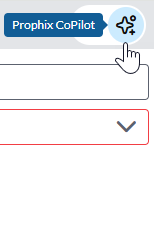
In the top right-hand corner of your application, click the Prophix One Copilot icon:
-
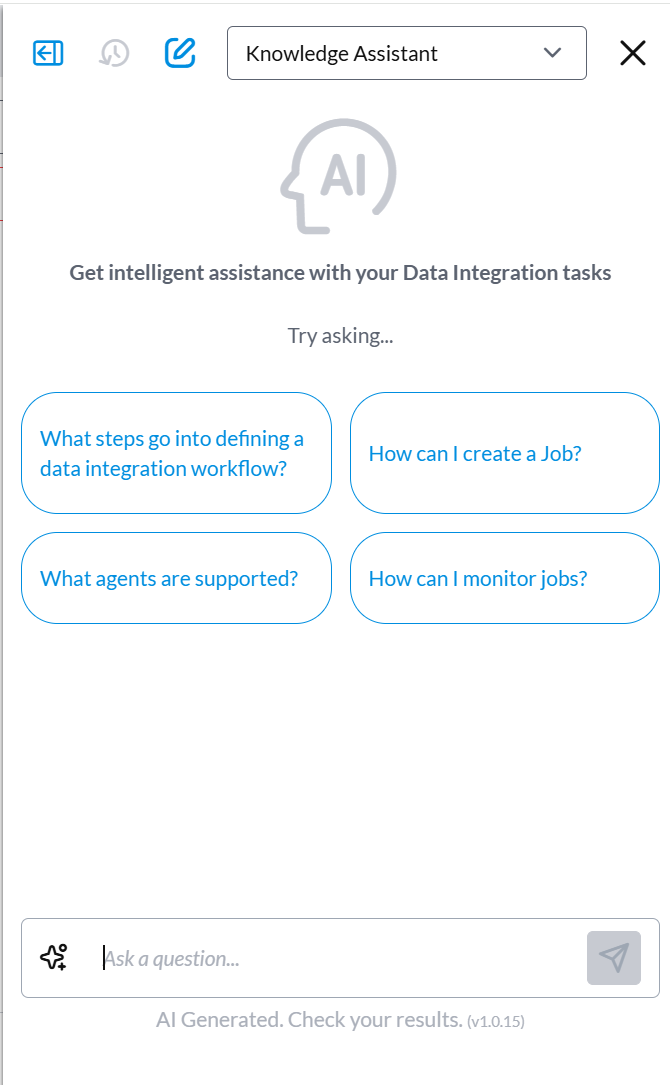
The Prophix One Copilot panel opens with Knowledge Assistant, similar to the following:
-
Type your question in the box and click the Send icon.
Sample questions:-
How do I create a source connection?
-
What transformations can I use?
Note: Do not enter sensitive information, such as passwords or customer data. The Knowledge Assistant is for product guidance only.
-
-
Read the response.
-
Select any links to view full documentation.
-
Rephrase or ask follow-up questions to get more specific results.
Tip: Use Data Integration terms such as connections, pipelines, or transformations for better results.